
SuiteApp · Divvy
See where supply runs short
Divvy sets your open sales orders and transfer orders against what NetSuite has committed, what is on hand and what is inbound, and shows every product and location where demand is not covered.
Open a row for the reasoning in plain words, the order lines behind it and the supply behind each one.
Divvy is built and supported by YTBE, Inc.
Why Divvy
The questions the ops team asks before an order goes out short.
How it behaves Every figure is NetSuite's own open demand, commitments and supply.
Where nothing is stored, the screen says so rather than showing a zero.
Product demos
See it running
Each demo plays when you scroll to it. Pause it, step through it, or open it fullscreen.
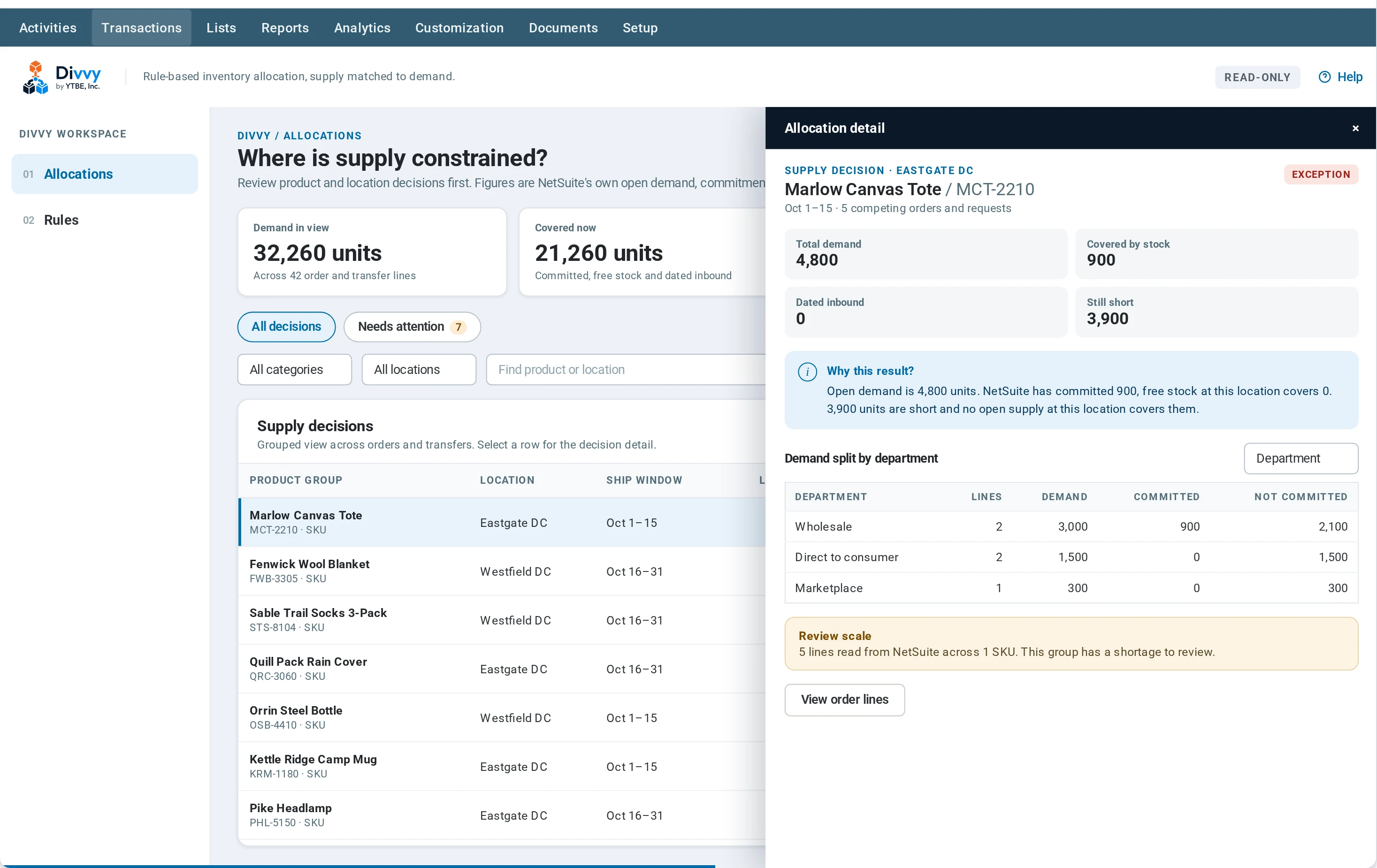
Where is supply constrained?
Every product, location and ship window in one view: what is demanded, what is already covered, and what is still short.
Why is this group short? Open the decision
Select a row for the reasoning in plain words, who is asking for the units, and the order lines behind the number.
Allocation policy, in one place
See what is protected, where targets and customer priority apply, which inbound supply counts, and how products are grouped.
Divvy questions
The things people ask before the first call.
Where do the figures come from?
From NetSuite: open sales orders and transfer orders, its commitments, free stock and dated inbound supply. Nothing is estimated.
What do Exception and Needs review mean?
Exception means demand is short and no open supply at that location covers it. Needs review means it is short in that window, but inbound dated after the window could cover it later.
Can I see the order behind a number?
Yes. Open a row, then its order lines, then a single line with its supply. From there you can open the order in NetSuite.
More SuiteApps
Each SuiteApp works on its own. Use one, or several.
See Divvy on Your Own Data
Let's walk through what this looks like against your NetSuite account.