
SuiteApp · Utilities
Admin utilities for NetSuite
Small, sharp tools for the jobs every NetSuite administrator runs into: saved searches that survive a sandbox refresh, and a plain answer to who holds which role.
Each one reads before it writes, tells you what it will do, and says so when something could not be read instead of showing a zero.
Utilities are built and supported by YTBE, Inc.
Why Utilities
Jobs that take an afternoon, done in a few clicks.
How they behave The access review changes nothing in your account:
they only read.
The Saved Search Utility is the one that writes, and only when you import: it previews every search first, adds a suffix so nothing collides, and never overwrites a search that is already there.
Product demos
See it running
Each demo plays when you scroll to it. Pause it, step through it, or open it fullscreen.
Saved Search Utility
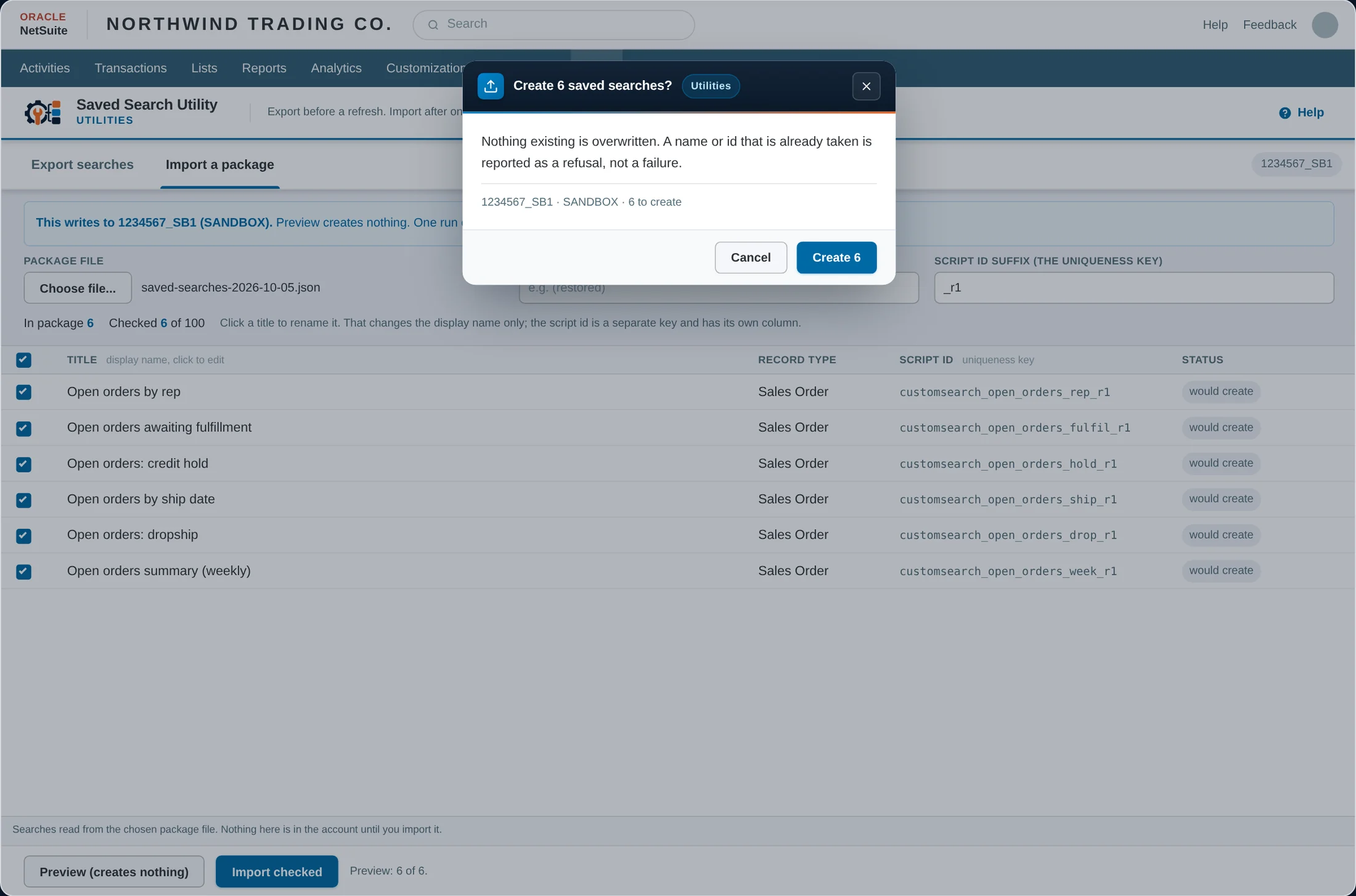
A sandbox refresh deletes every saved search built in the sandbox. Export them to a file on your own machine first, then import them back afterwards, with every collision reported before anything is written.
Access Review
The licences to retire, the admin access to review and the roles nobody holds. When something could not be read, it says so plainly and shows it as unknown, never as zero.
Utilities questions
The things people ask before the first call.
Where do exported saved searches go?
To a file on your own machine. After the refresh you read the file back, preview what will be created, and import. Existing searches are never overwritten.
What if the access review cannot read something?
It says so. A read that failed is shown as unknown, never as zero, so a gap in what could be read is never mistaken for a clean result.
More SuiteApps
Each SuiteApp works on its own. Use one, or several.
See Utilities on Your Own Data
Let's walk through what this looks like against your NetSuite account.